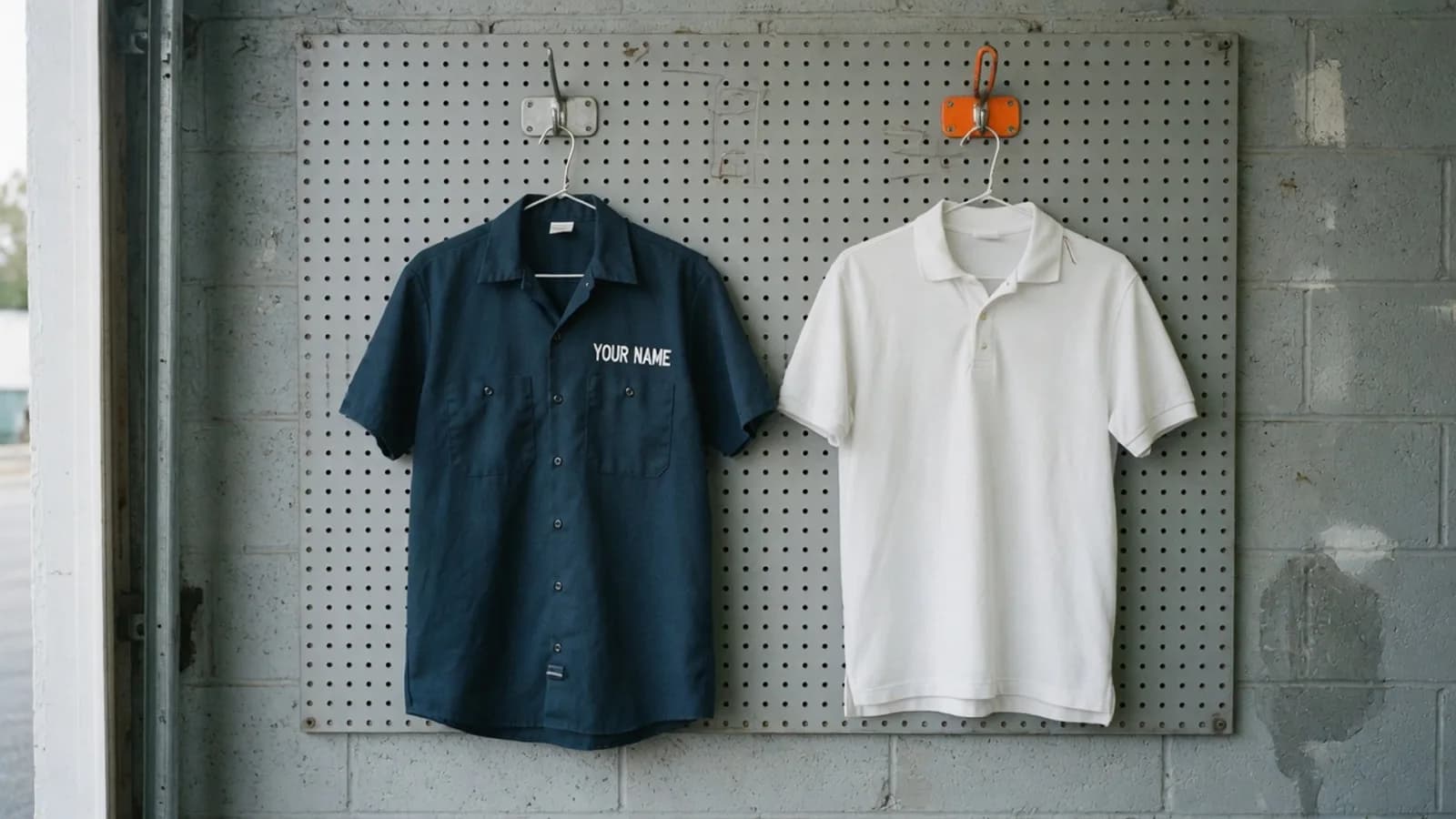
A homeowner finds your website and wants to know one thing before they call: is this your work? Contractor website photos are how they tell. A lettered van, a shirt with your name, or a finished job answers it. A handshake, a staged kitchen, or hands on a keyboard does not.
We opened the websites of the 18 Sacramento-region contractors from our audit of licensed contractors and looked at the pictures. Ten of the 18 show the job, or their name, on the first screen. Fifteen show the work somewhere on the homepage or the one gallery we opened. Three never show a job photo.
We build websites for trade contractors, so weigh this accordingly. Everything below was judged by eye on 2026-10-18, the method is at the end, and the only firms named are the ones whose name is readable in a photo.
What the photo is for, and what Google actually says
Start with what Google does not say. In the searches we ran, no Google page says that a stock photo on a business's own website is a ranking penalty, and no independent survey of contractor website photography turned up. We will not borrow a number from a company that sells photos or websites.
What Google does say sits in three different places.
The listing, not the website. Google's tips for Business Profile photos say "Photos help customers quickly understand the type of work you do" and "Add at least three photos that are representative of the services you offer." On quality, the same page says "The photo should be in focus, well lit, and have no significant alterations or excessive use of filters or AI. In other words, the image should represent reality" (Google Business Profile Help). We read it on 2026-10-18. No updated date was shown. Those lines are about photos you upload to the listing. Our Google Business Profile post for contractors covers that setup.
Photos people post to Maps. Google's tips for posting media to Maps say "Use media that you captured" and "Avoid screenshots, stock photos, GIFs, collages, heavily edited or otherwise manipulated photos, or imagery created by other parties" (Maps User Generated Content Policy Help). Same day, no updated date shown. That is a rule for uploads to Maps. It is not a ban on stock photos on your website.
How Google finds an image on a page. Google's image guide, last updated 2026-03-02, says "High-quality photos appeal to users more than blurry, unclear images" and "Google doesn't index CSS images" (Google Search Central). A large photo painted on as a background still counts for the customer, and we counted those. It may never be the picture Google shows. The same page also says to avoid a generic image, such as a logo, in the preview tags. That is about the share card, not a rule against stock photos in the body of the page.
Contractor website photos: what 18 first screens show
We looked at the first screen of each homepage at a desktop size, then at the rest of the page.
The company name, readable in the photo
The job, or a finished result, with no company name
A generic photo: people, a kitchen, or a product, with no job and no name
No photo at all
A stock-library file as the main photo
| What the first screen shows | Sites |
|---|---|
| The company name, readable in the photo | 2 |
| The job, or a finished result, with no company name | 8 |
| A generic photo: people, a kitchen, or a product, with no job and no name | 6 |
| No photo at all | 1 |
| A stock-library file as the main photo | 1 |
The ten useful first screens are the first two rows. The eight without a name still show the work: a person under a sink, solar panels, a finished roof, an air conditioner on a roof, a person wiring an outlet. None of those photos has the company name in the frame.
The other eight do not answer the question yet. Six open on a picture that could belong to any company in the trade: a parent and child at a sink, smiling people in hard hats, a staged white kitchen, a man on a desk phone, a stylized server room, a parking machine with a logo laid on the picture. One opens on words and no photo. One opens on hands on a keyboard, and that file lives in a stock-images folder.
The name is the part a customer can check
A finished roof is the work. It does not say who did it. Four of the 18 put the company name on a truck, a shirt, or the crew somewhere on the homepage. All four also show the work.
Professional Plumbing puts a white van on the first screen, lettered Professional Plumbing. The lettering is readable. The photo is small and soft. Google's listing tip asks for a photo that is in focus. This one meets the first test and misses the second.
M3 Service is a mechanical company, and the page we opened is its service page. The first screen shows a crew member in a Mark III shirt. A van lettered M3 Service sits just below.
Able Electric opens on a finished white kitchen, with no crew and no name. Further down, a crew stands in front of a van lettered Able Electric, with the license number on the door.
Impact Air Solutions opens on an air conditioner on a roof. Just below, a person stands beside the equipment in a shirt and cap that read Impact Air Solutions.
Two of the four do it before you scroll. Two do it once you do.
One roofer's first photo is a finished house, which counts as the work. The only readable sign in the yard is a tile brand, not the company. A customer looking at that photo cannot tell who roofed the house.
A stock file is not the same thing as a generic photo
Four sites include a file whose web address is a stock library. Each of those four also shows work of its own further down, or in the first photo itself.
We called a file stock only when the address was a stock library: a GoDaddy path marked stock or Getty, or a folder named stock-images. A photo that looks like a catalog, and lives on the company's own site, did not count. A file named placeholder did not count. A GoDaddy user upload did not count, even when the picture is a finished roof.
One site opens on a person wiring an outlet, from a photo the site uploaded itself, and several photos further down come from a stock-library address. The first photo is the job. The later ones are the library.
One site does it the other way around. The first photo is the stock-library file, hands on a keyboard, and finished rooms appear further down.
A logo placed on top of a picture is not the company name in the photo. One first screen is a parking machine with the logo laid over it. Further down are hands on a connector and an antenna on a building. A file named as the team is a silhouette graphic plus a logo, not a photograph of the crew.
Fifteen show the work. Three never do.
At least one photo of a job, a finished result, their truck, or their crew
No job photo at all
Company name readable on a truck, a shirt, or a sign
A stock-library file somewhere on the page
| On the homepage, or the one gallery we opened | Sites |
|---|---|
| At least one photo of a job, a finished result, their truck, or their crew | 15 |
| No job photo at all | 3 |
| Company name readable on a truck, a shirt, or a sign | 4 |
| A stock-library file somewhere on the page | 4 |
The 15 are the 10 useful first screens plus five whose job photo is lower on the page or on a gallery. The four named firms are inside that 15. So are the four stock-library files: the library file did not replace the work.
The three that never show a job photo stay on smiling hard hats and a handshake, a person at a desk phone, or a stylized server room.
One electrician's homepage is words, then one photo of a finished light fixture. We counted the fixture. The projects page returned an error, so it was not judged.
A few sites link to Our Work or Case Studies. We did not open those. A page we did not open may hold more photos.
What to put on the first screen
- One photo where your name is readable. The truck, the shirt, or a sign in the shot. Four of the 18 did this on the homepage. Two did it on the first screen.
- Then the jobs. Google's listing page says to add at least three photos of the services you offer. That line is about the Business Profile. The same habit belongs on the site: the work, not a handshake.
- A stock photo can sit under that. On these 18 it did not stand in for a job photo. Each site with a stock-library file still showed its own work.
- Put the photo in the page as an image, not only as a background. Google says it does not index CSS images. We still counted a background, because the customer sees it. Google may not.
- Keep the name sharp enough to read. One of the two first-screen vans is lettered and soft.
Open your own site and ask one question. Could a stranger read your name in the photo without already knowing who you are?
The other first-screen checks on this same set of sites are whether a customer can call in one tap and whether the page says which towns you serve.
Our own site
We looked at flarebuilt.com the same way. The first screen is the flame mark and the words "Websites and apps that win your best clients." There is no photograph. We build websites, so a picture of a sink would be the generic photo this post is about: someone else's job. The gap is still real. A visitor does not see a site we have shipped anywhere on the homepage. The homepage has no photograph on it at all.
What we would build for a contractor
A first screen with your name readable in one photo, then the jobs under it, each one a real project rather than a library file. What a site like that costs is in our contractor website cost guide. Get in touch and we will look at your homepage the way we looked at these 18.
How we did this, so you can check it
- The contractors. The same 18 websites as our service-area check, drawn from the 42 licensed contractors in the original audit. Plumbing, HVAC, electrical, roofing, low voltage, and general building, in Sacramento, Placer, El Dorado, and Yolo counties. The license category and the work on the site do not always match, so we describe what the site shows.
- The look. On 2026-10-18, one load of each homepage in desktop Chrome at 1366 by 900 pixels. Animations were frozen, cookie notices were hidden rather than clicked, and the page was scrolled so images could load. We saved the first screen and the next screen, then opened one same-site gallery or projects page when the homepage linked one. Nothing was submitted. No login was used.
- The sort. Every first screen was classed by eye. "The job" means a repair, a finished trade result, the crew on a site, or their truck. "Generic" means people, a room, or a product with no job and no company name in the photo. A logo laid over a picture did not count as the name.
- Stock. A file counted as a stock-library file only when its address was one: GoDaddy
isteam/stock/oristeam/getty/, or astock-imagesfolder. GoDaddyisteam/ip/is an upload. A filename, and a photo that merely looks generic, were not enough. We did not run a reverse-image search. - Limits. Eighteen sites in one region, on one day. A gallery, an Our Work page, or a Case Studies page we did not open may hold more. One electrician's projects page returned an HTTP error and was left out. Some large photos are CSS backgrounds. We counted what a customer sees.